 Inkomik
Everything a comic needs, nothing it doesn't
A focused toolset from first sketch to finished book, drawing, layout, lettering, colour and print, in one native Windows app.
Typed layers that know their job
Layers aren't just stacks of pixels. Each has a type, so the tools adapt to what you're doing.
- Art, Panels, Bubbles and Paper layer types
- Per-layer opacity, visibility and lock; active layer per page
- Reorder, rename and retype, all fully undoable
- Shared (master) layers appear on every page, headers, footers, page numbers, watermarks

Layouts you can actually edit
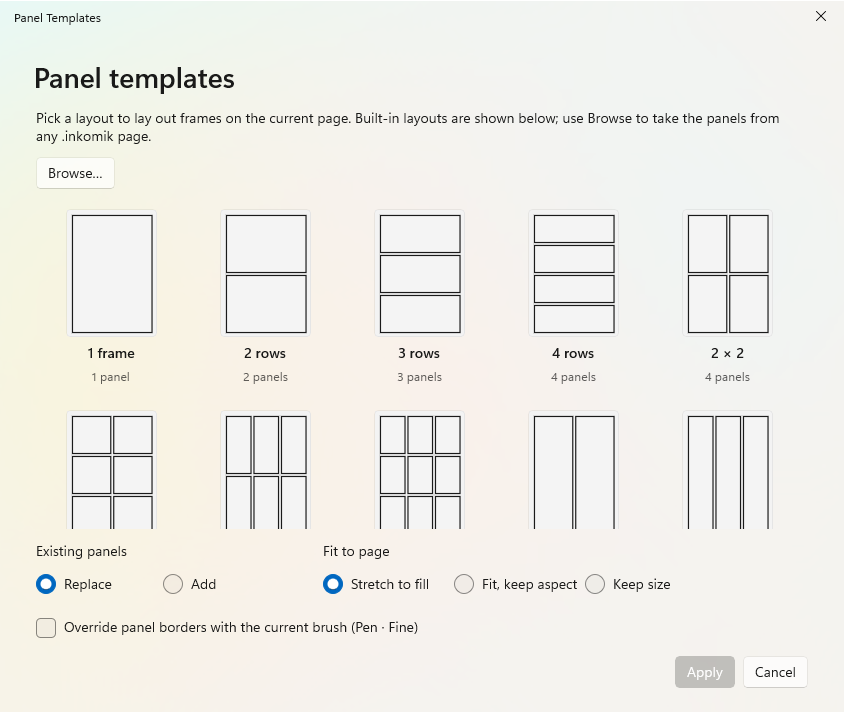
Build a grid in seconds, then reshape it freely. A panels layer also masks the art beneath it, so nothing spills outside the frame.
- Create by dragging, drawing freehand, or from 27 built-in templates
- Merge overlapping panels; split one along a drawn or centred line
- Rounded corners, rotation, and free-form polygons with editable points
- Borders use any brush; a zero-width border still masks and selects
- Export a layout as its own reusable
.inkomiktemplate
Dialogue that stays put
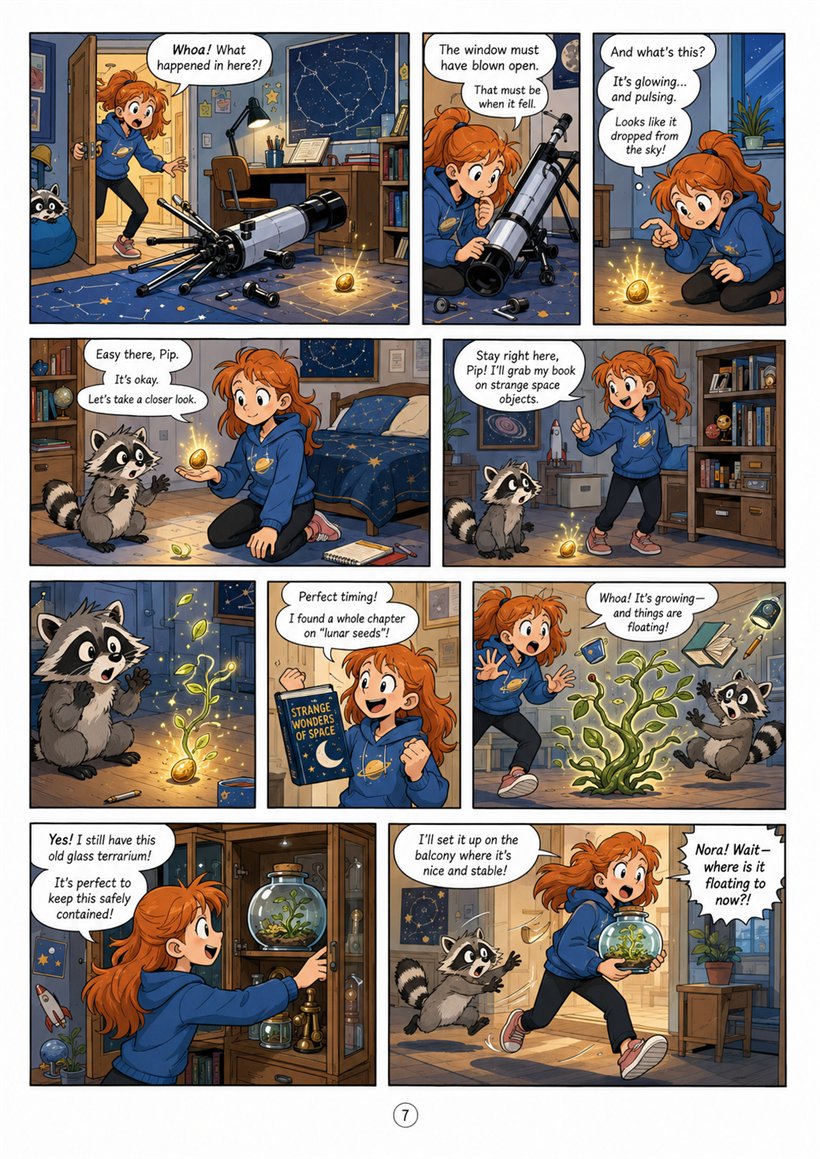
Speech bubbles are real shapes with their text inside, so lettering moves and scales with the balloon.
- Ellipse, rounded box, or a custom drawn / freehand shape
- Inline on-canvas text editing, double-click and type
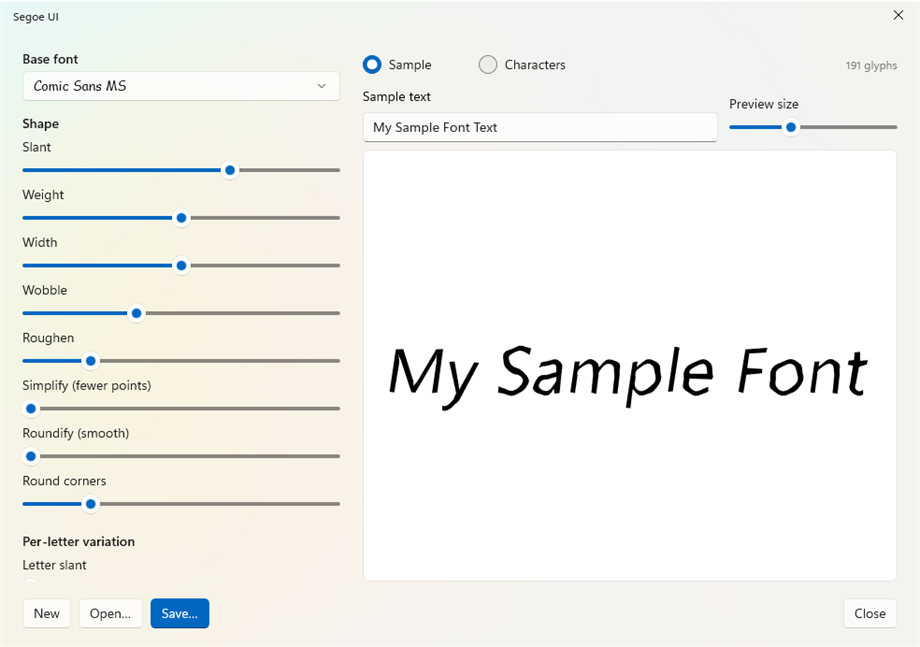
- Any installed font, per-bubble fill and text colour
- Word-wrapped, centred DirectWrite text; live as you type
- Tokens like page number and title fill in automatically
Looks you can't fake with flat fills
Purpose-built rendering engines give pages a hand-made, printed feel.
Watercolor
Brushes that bloom and pool like wet ink, with adjustable wetness, flow and edge behaviour.
Paper
Procedural stock, grain, mottle and speckle in any colour, under your art. Combine with print defects for newsprint.
Tone-fill
Configurable dot, line and cross-hatch screentones, the classic manga shading, as clean fills.
Fills & textures
Flood-fill regions with colour, an image, an SVG tone or a brush texture.
Vector by default, raster when you want
Strokes stay vector, so lines are crisp at any zoom and any export resolution. Rasterize a layer on demand when you want painted texture or to flatten effects.
- Pressure-aware brushes with saved presets (My Tools)
- Partial and whole-stroke eraser
- Per-layer effect stack, blur, grayscale, posterize, pixelate and more
- Almost unlimited undo, optionally saved inside the document
Web-ready or press-ready
Share a page online or hand a printer a real book, from the same document.
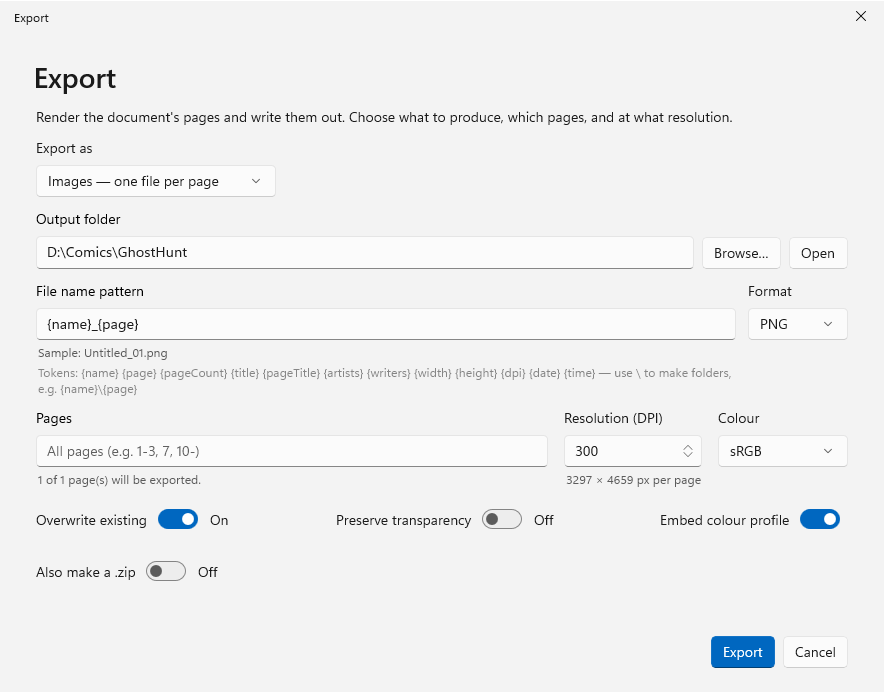
- Export images (PNG / JPEG), or a full CBZ, PDF or EPUB
- Print via the system dialog, or Microsoft Print to PDF
- Booklet and N-up imposition with crop marks
- Bleed, safety guides and embedded sRGB colour profile
- POD trim sizes and ISBN metadata for distribution
Built-in reader
A full-screen, keyboard-driven reader with real page-turn motion, honouring reading direction, including right-to-left manga. Opens comic archives view-only.
Windows Explorer integration
Rich thumbnails, a paging preview pane and file properties for your .inkomik files, plus thumbnails and preview for imported .cbz, .cbr and .epub.
Import comics
Bring in an existing CBZ, CBR or EPUB as a new document, one page per image, ready to draw panels and bubbles over.
Open, honest files
An .inkomik file is a plain ZIP archive, your pages, assets and metadata, never locked behind a proprietary vault.